How can I retrieve my product item_group_id in Shopify?
Locating the ID via the Product URL
To find your product’s structural group identifier (item_group_id) within your Shopify admin dashboard, follow these quick steps:
- Navigate to Products: From your primary Shopify management interface, open the Products section.
- Select a Product: Click on a specific item to view its detailed product page.
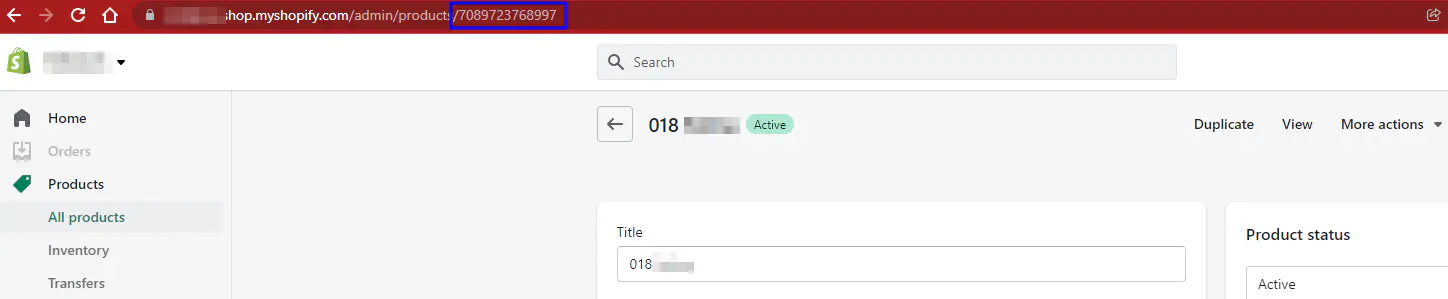
- Extract the ID: Look at your browser’s address bar. The
item_group_idis the numeric sequence located at the very end of that product page URL, as highlighted in the example below: